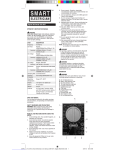
7 FUNCTION DIGITAL MULTIMETER
OPERATING INSTRUCTIONS
Visit our Web site at http://www.harborfreight.com
REV 12a
Copyrigh t° 2011 by Harbor Freight Tools ® . A ll rig hts reserved.
No portion of this manual or any artwork contained herein may be reprod u ced in any shape or form wi thou t the express written consent of
Harbor F re igh t Tools.
For technical questions and replacement parts, please call 1-800-444-3353
Spec
ifi
cat
ion
s
45-4 5 0 Hz Frequency
DC Amps
Accuracy
DC Voltage
Accuracy
R a ng e s: 200 µ A/ 20 00 µ A/20mA/200mA, 1 OA
(@200µA 2 0 0 m A) 1.2
%±2D; (@10 A ) 3%±20
Ranges: 200 m V/2000 m V/20/200/1000V
(@200mV) 0.5% ±10 ;
(@2000 m V-20 0 V ) 1 .
0%±1D;
(@1000V) 1.0
%± 20
AC Voltage
Accuracy
Resistance
Accuracy
Ranges: 200/7 5 0V
( 4 5 -4 50 Hz) 1.2
% ± 10 D
R an ges : 200 / 2000 / 2 0K/ 200 K/ 20 0 0K O hm
(@2 0 0-200K O h m ) 0 .8
% ±2D ;
( @20 0 0 K O hm) 1.0
% ±2D ;
2 .5 ti me s / Sec o nd
Fast-Act i ng 500mA/250 V Fus e
Sa mp ling R at e
Ov e rl o a d P rot ect ion
Op e r a ting T e mper a ture Range : 3 2 ° 104 ° F
Displa y '!," high 3't,d i git LCD
Batte ry
W e igh t
One 9
.
45 l b.
V (included )
Feature s 29-1 / 2" Test Leads , Tra ns i stor (NP N a nd PNP ) T es ting F un cti on ,
B att e ry Test in g Funct ion, an d A ut o mati c Po l ar i ty an d Z e ro A d ju s t
Save This Manual
You will need the manual for the safety warnings and precautions, and operating and maintenance procedures.
Keep your invoice with this manual. Write the invoice number on the inside of the front cover. Keep the manual and invoice in a safe and dry place for future reference.
Safety Warnings and Precautions
WARNING : When us in g too l, basic safety precautions should always be followed to reduce the risk of personal injury and damage to equ i pment.
Warnings continued on page 3.
S K U 69 09 6 For replacement parts, please call 1-800-444-3353 . Page 2
1.
Read all instructions before using this tester!
Avoid working alone. If an accident happens, an assistant can bring help.
2.
3 .
4.
5.
6.
7.
Keep work area clean. Cluttered areas invite injuries.
Avoid electrical shock . Use extreme caution when using this tool near uninsulated conductors or bus bars. Preven t body contact with grounded surfaces such as pipes, radi ators , ranges, and cabinet enclosures when testing voltages.
Avoid damaging meter. Use only as specified in this manual.
Observe work area conditions. Do not test voltages in damp or wet locations. Don ' t expose to rain. Keep work area well lit.
Keep children away. Children must never be allowed in the work area . Do not let them handle mach ine s, tools, or extension cords.
Store idle equipment. When not in use, tools must be stored in a dry lo cation to inhibit rust. Always lock up tools and keep out of reach of children.
8.
9.
Dress properly. Do not wear loose clothing or jewelry as they can be caught in moving parts. Protective, electr icall y nonconductive clothes and nonskid footwear are recommended w hen working. Wear restrictive hair covering to contain long hair.
Use eye protection. Always wear ANSI app roved im pact safety goggles.
10. Do not overreach. Keep proper footing and balance at all times.
Do not reach over or across electrical cab les or frames.
11. Maintain tools with care. Ensure mu ltimeter has a fresh battery.
In spect test leads periodically and, if damaged, ha ve them re paired by an authorized technician.
12. Stay alert . Watch wha t you are doing, use common sense. Do not operate any tool when you are tired.
13. Check for damaged parts. Before using any tool , any part that appears damaged shou ld be carefully checked to determine that it will operate properly and perform its intended func tion . Check for any broken parts and any other condition that may affect p rop er operation.
Any part that is damaged should be properly repaired or replaced by a qualif i ed technician. Do not use .
the tool if any switc h does not operate properly.
SKU 69096 For replacement parts, please call 1 -800-4 44-3353. Page 3
15. Replacement parts and accessories. When servic ing, use only identical replacement parts. Use of any other parts will void the warranty. Only use accessories intended for use with this tool.
Approved accessories are available from Harbor Freight Tools.
16 . Do not operate tool if under the influence of alcohol or drugs.
Read warning labels on prescriptions to determine if your judgment or reflexes are impaired while taking drugs. If there is any doubt, do not operate the tool.
17. We recommend that only a licensed electrician work on highvoltage or other potentially dangerous circuits.
Note: Performance of this tool may vary depending on condition of internal battery.
Warning: The warnings, cautions, and instructions discussed in this instruction manual cannot cover all possible conditions and situations that may occur. It must be understood by the operator that common sense and caution are factors which cannot be built into this product, but must be supplied by the operator.
Warning: This product contains or produces chemicals, including lead, known to the State of California to cause cancer and birth defects (or other reproductive harm) .
(California Health & Safety Code 25249.5 et seq .
)
Unpacking
When unpacking, make sure the following parts are included: Digital
Multimeter, and black and red Te st Leads. If any parts are missing or broken, please call Harbor Freight Tools at the number on the cover of this manual. If an y part of the machine is missing or broke n , please call Harbor Freight Tools at the number on the front cover as soon as possible.
Operation
WARNING: ELECTRICAL SHOCK CAN CAUSE DEATH OR
INJURY. AVOID TOUCHING EXPOSED CONDUCTORS
OF ELECTRICITY.
1.
2.
3.
Additional Multimeter Precautions
Do not test voltage on AC circuits higher than 750 volts .
Do not test voltage on DC circuits higher than 1000 volts.
Do not test current on circuits higher than 10 amps.
SKU 69096 For replacement parts, please call 1-800-444-3353. Page 4
4.
5.
1.
2 .
3.
4 .
5.
Be careful not to apply voltage to the Test Leads when they are connected to the COM
(Bottom) and
VOmA (Center)
Jacks and the
Multimeter is in an Ohms testing
DC Volt
Selection
Area
Ohm
Selection
Area
Transistor
/hFE Jack
Control Layout
Battery li ~ ::=:==:=\C::li~~~~~
Test
Area
DC AMP
Selection
Area
10A
Selection
Area/Jack setting. Damage can occur to the multimeter or the fuse may blow.
Transistor
Selection
Area
Do not switch between testing modes with the multimeter connected to a
...._:===i~~~
..-----.
Volt/Ohm/ mAJack circuit.
AC Voltage Measurements
Measure AC conductors carrying up to 750 VAC, 45-450 Hz.
Turn the Range Selector Switch to 750 ACV setting.
Always start with the highest range if the voltage is unknown.
Plug the red lead into the VOmA (Center) Jack. Plug the black lead into the COM (Bottom) Jack. Switch the Multimeter ON.
Carefully touch the exposed conductors with the tips of the probes to measure the voltage (not amperes) .
Read measurement.
If the voltage is less than 200 volts, set the Range Selector Switch to the lower range.
When testing is complete, remove Test Leads and store with multimeter.
1 .
2.
DC Voltage Measurements
Measure DC conductors carrying up . to 1000 VDC.
Turn the Range Selector Switch to 1000 DCV setting.
Follow the directions above under "AC Voltage Measurements", only use the DC settings instead.
SKU 69096 For replacement parts, please call 1-800-444-3353. Pages
DC Current Measurements
Measure DC conductors carrying up to 10 amperes. ·
1.
2.
3.
Turn the Range Selector Switch to the 10A position.
Always start with the highest range if the amperage is _unknown .
Plug the red lead into the 1 OA (Top) Jack. Plug the black lead into the COM
(Bottom) Ja ck. Switch the Multimeter ON.
Carefully touch the exposed conductors with the tips of the probes to measure the amperage.
Note: Amperage is always tested in series with the circuit under test.
4.
5.
Read measurement.
If the reading is less than .2AMPs, switch the red lead to the VOmA(Center)
Jack and set the Range Selector Switch to the 200 mA setting.
When testing is complete, remove Test Leads and store with multimeter.
Resistance Measurements
Measure circuit resistance up to 2000K Ohms.
WARNING: NEVER measure resistance on a circuit with voltage running through it.
1.
2.
3 .
Turn the Range Selector Swit ch to the 200 mA position.
Plug the red Test Lead into the VOmA (Center) Jack. Plug the black Test
Lead into the Com (Bottom) Jack. Switch the Multimeter ON.
Short the Test Leads together. The meter should read "O" Ohms.
Touch the exposed conductors with theJips of the Test Leads.
4. Read measurement.
If the reading is "1", set the Range Selector Sw i tch to the next higher Ohm
(0) position .
1.
2.
Transistor (hFE) Measurements
Test transistors to ensure proper function.
Turn the Range Selector Switch to the hFE position.
Switch the Mul ti meter ON .
Insert the transistor pins into the appropriate hFE jack (NPN or PNP) according to the EBC (Emitter, Base, Collector) sequence.
The meter will show the approximate hFE value. 3.
1.
2.
3 .
Diode Measurement
Test the voltage drop in diodes.
Turn the Range Selector Switch to the Diode (
...... ) position.
Plug the red Test Le ad into the VOmA (Center) Jack . Plug the black Test
Lead into the Com (Bottom) Jack. Switch the Multimeter ON.
Connect the red probe to the anode of the diode an d the black to the cathode.
SKU 69096 For replacement parts, please call 1-800-444-3353.
Page 6
1.
2.
3.
4.
5.
2.
3.
4.
4 . The approximate forward vo l tage drop of the diode will be displayed in mV. If the conneCtion is reversed only "1" will be shown.
3.
Battery Charge Measurement
Test the amount of charge left in batteries .
NOTE : This setting is for testing the charge of small 9V or 1 .
SV batteries
2D.bl·
~ setting to test automotive or lead-acid batteries.
The high current could cause damage to the meter and/or cause severe personal injury. Use the appropriate DC Voltage sett ing to test the open
1. current voltage of such batteries instead.
Turn the Range Selector Switch to the Battery
H
1-) position .
2. Plug the red Test Lead into the VOmA (Center) Jack. Plug the black Test
Lead into the Com (Bottom) Jack. Switch the Multimeter ON.
Connect the red probe to the positive terminal of the battery and the black to the negative term i nal.
4.
5.
The battery amperage under a load of 370 mO will be displayed to a resolution of .1 mA.
Normal amperage: For a standard 9V (6LR61) battery = 25 mA
For a 1 .
5 V "AA" (LR6) battery = 4 mA
1.
Maintenance
Wipe unit with a slightly damp cloth using a light detergent. Do not use solvents or abrasives.
Remove battery if not in use for long p eriods.
Store un i t i n a dry location.
Other than the battery and fuse, there are no replaceable parts on this unit.
Repairs should be done by a qualified tech n ician.
6.
Battery/Fuse Replacement
To replace the battery
or
fuse:
Remove the Test Leads from the multimeter.
Turn the unit over.
Remove both screws using a cross head screwdr i ve r .
Remove back cover.
Pull battery/fuse out of un i t and replace with the same.
(9V battery or 500mA/250V fast acting fuse)
Replace cover and retighten screws.
NOTE: No replacement parts are available for this tool.
SKU 69096 For replacement parts, please call 1-800-444-3353. Page 7