STMicroelectronics STEVAL-ILL060V1 User Manual
विज्ञापन
विज्ञापन
UM1774
User manual
High brightness LED array driver with diagnostics for automotive applications based on STAP16DPPS05 and STM8A
Introduction
This user manual describes how to use the STEVAL-ILL060V1 high brightness LED array driver with diagnostics based on automotive grade low voltage 16-bit constant current LED sink driver STAP16DPPS05 from STMicroelectronics. The LED driver is configured and controlled through 8-bit automotive grade STM8AF6266 microcontroller via SPI interface.
The automotive grade A5974D DC-DC converter provides the voltages/power for the overall functioning of the board.
This manual explains the operating procedures for the evaluation board, in terms of hardware setup, demonstration firmware functions, interconnection with PC, graphical user interface to show the driver’s features and evaluation of the STAP16DPPS05.
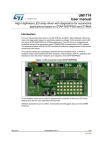
Figure 1. LED array driver board (STAP16DPPS05)
May 2014
This evaluation board can be used for demonstration purposes to show the LED driver features and also for user application development.
Software applications can be written, downloaded and debugged using on board SWIM connector.
DocID026418 Rev 1 1/28 www.st.com
Contents
Contents
UM1774
Block diagram of STAP16DPPS05 evaluation board . . . . . . . . . . . . . . . . . 7
Evaluation board function overview . . . . . . . . . . . . . . . . . . . . . . . . . . . . 9
Microcontroller SWIM . . . . . . . . . . . . . . . . . . . . . . . . . . . . . . . . . . . . . . . 9
Jumpers for LED failure simulation . . . . . . . . . . . . . . . . . . . . . . . . . . . . . 9
Features of evaluation board in stand-alone mode . . . . . . . . . . . . . . . . . 9
Features of evaluation board in GUI mode . . . . . . . . . . . . . . . . . . . . . . . 9
Key devices on the evaluation board . . . . . . . . . . . . . . . . . . . . . . . . . . . . 10
Stand-alone demonstration . . . . . . . . . . . . . . . . . . . . . . . . . . . . . . . . . . 11
Graphical user interface setup . . . . . . . . . . . . . . . . . . . . . . . . . . . . . . . . . 15
Brightness control for all channel . . . . . . . . . . . . . . . . . . . . . . . . . . . . . . 17
Using preconfigured frame pattern . . . . . . . . . . . . . . . . . . . . . . . . . . . . 18
2/28 DocID026418 Rev 1
UM1774
Contents
DocID026418 Rev 1 3/28
28
List of figures
List of figures
UM1774
4/28 DocID026418 Rev 1
UM1774 Getting started
Board package consists of:
•
Hardware: One evaluation board, One USB-UART bridge
• Software: graphical user interface
•
Document: user manual
STAP16DPPS05 evaluation board has on board DC input power supply, 8-bit microcontroller, SWIM connector to program the microcontroller, 32 white LEDs and buttons and potentiometer to change modes and to control brightness and speed, two
STAP16DPPS05 LED driver.
Figure 2. Setup of the board (top)
DocID026418 Rev 1 5/28
28
Getting started
1.
STAP16DPPS05 LED driver
3. Jumpers to simulate open-circuit error detection
4. Jumpers to simulate short-circuit error detection
5. Potentiometer to change brightness and speed
6. SWIM connector: to program microcontroller
7. Push buttons (BCK & FWD): to change different modes
8. DC supply connector: 6-24 V
9. USB-UART bridge: for interfacing board with GUI
10. 32 white LEDs (PLCC 4 ' package)
11. Connector for LIN development and evaluation
12. LF33CDT (low drop out regulator)
Figure 3. Setup of the board (bottom)
UM1774
13. Daughterboard (USB-UART bridge connector)
6/28 DocID026418 Rev 1
UM1774
1.2.2 Daughterboard
Figure 4. USB-UART bridge (top)
Getting started
14. USB connector
15. SWD connector (for programming daughter card)
16. UART connector
Figure 5. USB-UART bridge (bottom)
1.3
17. STM32F103xx microcontroller
Block diagram of STAP16DPPS05 evaluation board
Figure 6. Block diagram of STAP16DPPS05 evaluation board
DocID026418 Rev 1 7/28
28
Getting started
1.4
UM1774
Modes of operation
The evaluation board has two modes of operation:
• Stand-alone mode: In this mode, the board is controlled via on-board push buttons and potentiometer
•
GUI mode: If connected to PC, board is in GUI mode and GUI has the control of board
8/28 DocID026418 Rev 1
UM1774
2
Evaluation board function overview
Evaluation board function overview
The evaluation board is powered by standard 6 to 24 V DC adapter. The power source must be able to deliver sufficient current depending on the input voltage for the proper functioning. Reverse voltage protection and input surge protection is provided to avoid any damage because of improper handling on the input.
2.1.3
The board is equipped with a standard 4-pin SWIM connector allowing to debug and develop the STM8AF6266 microcontroller firmware.
Jumpers for LED failure simulation
LED defects can be simulated by using J6 to J17 jumpers:
• J10-J17 is used to demonstrate open-circuit error detection of LEDs (D4, D8, D12,
D16, D20, D24, D28, D32).
•
J7-J9 is used to demonstrate short-circuit error detection of LEDs (D30-D32, refer to
These simulated defects can be detected during the activation of the error detection mode
). The defective LED is highlighted by switching on another LED in standalone mode (see mapping table) and by flashing corresponding circle in LED map in GUI mode.
2.2.1
2.2.2
Features of evaluation board in stand-alone mode
• Demonstrates pre-configured patterns (with adjustable brightness/speed) like rolling text, wave effect, dot sequence, etc.
•
On-board buttons to switch between the demos.
• Potentiometer as a slider to control speed or brightness of the pattern.
•
Open-circuit, short-circuit using open-circuit/short-circuit jumpers.
Features of evaluation board in GUI mode
• All the features present in stand-alone mode can be controlled using GUI.
•
Global brightness control to change the brightness of all the channels.
• Frame programming mode and 4 predefined presets with variable transition time between frames.
•
Open, short error detection and representation on GUI.
• Error detection in “no loop” and in loop of 0.5 s and 1 s.
DocID026418 Rev 1 9/28
28
Evaluation board function overview
2.3
UM1774
Key devices on the evaluation board
The following are the major devices responsible for the board’s functionality:
A5974D: An automotive grade step-down 250 kHz switching regulator with up to 2.5 A
(internally limited) current to the load. Device accepts input voltage from 4 to 36 V. However, the specified input voltage to the board is 6 to 24 volts. It supports low dropout operation along with zero load current operation. Overcurrent and thermal protection are provided for safe operation of the device.
LF33C: An automotive grade fixed output 3.3 V, very low drop voltage regulator able to provide current up to 500 mA. It powers up all the devices as well as daughter card.
STM8AF6266: An automotive grade 8-bit microcontroller. It features 10 MIPS at 16 MHz fCPU, advance timers, LINUART, ADC, robust I/O’s, nested interrupt controller and several other supporting features. It conforms to AEC-Q100 norms.
BZW50: A transient voltage surge suppressor (TVS) with fast response time. It provides high overvoltage protection by clamping. It is capable of dissipating up to 5000 W (10/1000 us) pulses
White LED: 32 white SMD LEDs are used. LEDs are mounted in 8x4 matrix on the board to display different patterns. Minimum luminous intensity of an LED is around 280 mcd with wide viewing angle of 120º.
2.4 Daughterboard
The STEVAL-ILL060V1 is available with daughterboard which enables it to communicate with the PC GUI via USB. The daughterboard acts as a bridge between PC and the main board.
The daughterboard supports full-duplex communication between USB and UART and derive power from the main board for its operation.It is mounted on the main board with the help of UART and SWD connectors.
10/28 DocID026418 Rev 1
UM1774 Stand-alone demonstration
Note:
Note:
STAP16DPPS05 evaluation board while not connected to PC runs in stand-alone mode.
The main features of the stand-alone mode are:
•
Buttons for transition between different modes
• Speed and brightness control of the patterns
•
Error detection to detect LED failure
After DC input is applied, it starts with brief animation on 4x8 White LED matrix. User can have control over the board only after brief animation.
After brief animation LED matrix will show “ST” flashing. After which user can select different patterns and modes with the help of BCK and FWD button present on the board.
BCK Button: On pressing this button user will switch on to previous pattern or mode.
FWD Button: On pressing this button user will switch on to next pattern or mode. Following are the patterns and modes:
1.
ST flashing pattern
2. Dot sequence pattern
3. ST rolling pattern
4. Wave or curtain pattern
5. Error detection mode
7. ST curtain pattern
User with the help of speed and brightness control potentiometer present on board can control the brightness of LEDs and speed between transitions.
Brightness and speed control: On rotating potentiometer clockwise brightness/speed between transition will increase and vise-versa.
In ST flashing pattern user can control only speed.
All patterns which are mentioned above will be operating under normal mode. In this mode data to be displayed is sent to STAP16DPPS05 through SPI by microcontroller. And by using potentiometer user can change speed and brightness of the pattern.
DocID026418 Rev 1 11/28
28
Stand-alone demonstration
Figure 7. ST flashing mode
UM1774
Figure 8. Random pattern 1
Figure 9. Random pattern 2
12/28 DocID026418 Rev 1
UM1774
Figure 10. Random pattern 3
Stand-alone demonstration
Figure 11. Random pattern 4
Figure 12. All LEDs ON during curtain pattern
DocID026418 Rev 1 13/28
28
Stand-alone demonstration UM1774
3.2
Jumper
J10
J11
J12
J13
J14
J15
J16
J17
Error detection mode
STAP16DPPS05 driver is capable of error detection, such as open-circuit and short-circuit.
Evaluation board provides the option to simulate and detect these errors. In this mode drivers perform open-circuit and short-circuit error detection and display the error. If a defective LED is found, it is signaled by switching on the adjacent LED as mentioned in the table below.
Open
Table 1. Error detection and representation
Short
Error in LED
D4
D8
D12
D16
D20
D24
D28
D32
Shown on LED
D2
D6
D10
D14
D18
D22
D26
D30
Jumper
J7
J8
J9
Error in LED
D30
D31
D32
Shown on LED
D26
D27
D28
Error detection simulation: Jumper (J12, J13 & J15) are removed to evaluate open-circuit error detection mode and jumper (J8) is placed to evaluate short-circuit error detection as shown in figure 13. While operating error detection mode the defective LED is signaled by switching on corresponding LED (as mentioned in the above table).
Figure 13. Error detection mode
14/28 DocID026418 Rev 1
UM1774 GUI demonstration
4.1
STAP16DPPS05 GUI has two modes. Modes are classified as:
•
Basic mode
• Frame programming mode
The main features of the GUI mode are:
•
Replication of on-board control buttons to select mode itself from the GUI
• Error detection, frequency of performing error detection and error detection representation on 4x8 LED (mapped to 4x8 LEDs on evaluation board) map
•
Adjustable global brightness for all the channels
• Frame programming to display any arbitrary pattern consists of up to 20 frames with variable transition speed
•
4 preconfigured patterns for quick visualization of frame programming mode on the evaluation board
Graphical user interface setup
The Virtual Com Port driver from ST needs to be installed on the PC/laptop for using the
STAP16DPPS05 evaluation board GUI. Please follow the procedure below:
First install the setup (.exe) file on Windows machine. After installing, GUI appears as “LED
Driver Demo” in programs list. Now, if VCP driver is not installed, it can be installed from
…\Program Files\ STMicroelectronics\LED Driver Demo\ST VCP Driver. Both 32-bit version and 64-bit version are included in the setup.
Now, on launching the GUI, first page appears as shown in
. At this point connect evaluation board to the PC and power it up. Now press “Connect”. If GUI identifies the board, it automatically establishes the connection with the board else GUI prompts the user to select the port to which the board is connected as shown in figure below. Choose the port manually and press “Select”. When the GUI is able to interact with the board, message shown is “Port is open”.
DocID026418 Rev 1 15/28
28
GUI demonstration
Figure 14. Graphical user interface
UM1774
Note: To use the GUI, a Windows machine should have Virtual Com Port driver installed. In the picture shown above, COM4 is shown as an example, on connecting USB to the PC, VCOM establishes on any arbitrary port which has to be identified manually if GUI does not recognize the board automatically.
Basic mode has three sections to address different requirements as follows:
• Button control
•
Error detection
• Brightness control for all channels
Figure 15. GUI basic mode
16/28 DocID026418 Rev 1
UM1774 GUI demonstration
While in GUI mode, toggling between preconfigured demos can be handled by buttons in this section. These controls buttons are replication of on board BCK & FWD button.
By the help of GUI buttons on board can be enabled or disabled by pressing Enable or
Disable buttons respectively.
Error detection section demonstrates error (if any) present in the LEDs on 4x8 LED matrix.
Error detection frequency can be selected from three options such as No loop (Error detection is performed once and the results are displayed till any other button is pressed),
0.5 second loop (error detection is performed every 0.5 s by the drivers and the results get updated in real time) and similarly a 1 second loop.
Figure 16. Error representation in GUI
4.2.3 Brightness control for all channel
Brightness of all the channels is simultaneously varied by varying brightness control for all channel slider. Brightness can be varied in 256 steps (15% to 90%) using the slider.
Frame programming displays the feature of demonstrating user-defined patterns in round robin sequence on the evaluation board. This mode contains the set of 20 (maximum) independent frames and each frame represents one instance of representation of LEDs on the board.
In this mode, either the frames can be designed by the user or preconfigured frame patterns can be selected using presets. Transition time between the frames in milliseconds is set by the value in the transition time text box.
DocID026418 Rev 1 17/28
28
GUI demonstration
Figure 17. GUI frame programming
UM1774
4.3.2
A frame on the GUI represents LEDs on the evaluation board in a similar fashion. Below are the steps for designing the frames and demonstrating it on the evaluation board:
•
There can be maximum 20 frames (00 to 19) which can be set using “Set Frame
Count”.
• To design a frame, click on the LED(s) to configure them
•
Each frame can be set for different brightness using “Frame Brightness”
• The “Play” button plays the sequence of frames in the GUI to visualize the whole pattern to be displayed on the board
•
Set required transition time between the frames and press “Program”
Using preconfigured frame pattern
In frame programming mode, four preconfigured frame patterns called Presets are provided for quick demonstration of this feature.
18/28 DocID026418 Rev 1
UM1774 GUI demonstration
Figure 18. Preset buttons to load preconfigured frame patterns
Preset1, Preset2, Preset3 and Preset4 can be loaded by clicking on the corresponding preset button. Pictures below show the frames configuration in different presets. Choosing any one of them configures frames as shown.
Figure 19. Preset 1
Figure 20. Preset 2
DocID026418 Rev 1 19/28
28
GUI demonstration
Figure 21. Preset 3
UM1774
Figure 22. Preset 4
20/28 DocID026418 Rev 1
UM1774 Thermal behavior
The STAP16DPPS05 is available in TSSOP24 (exposed pad) package. TSSOP24 exposed pad has a thermal resistance of 37.5 °C/W. Below is the image of the evaluation board and the corresponding thermal image at the maximum current in all the channels (TSSOP24-EP package is mounted on the evaluation board):
Figure 23. STEVAL-ILL060V1
Figure 24. STEVAL- ILL060V1 thermal image
DocID026418 Rev 1 21/28
28
Schematics
6 Schematics
UM1774
3
2
1
D C J
3
2
1
C K
F 1 1 A
4 1
Z W 5 0 -2 7
C 1
2 0 u F
C 2 u F
Figure 25. Power section
8
VCC
2
U 1
SYNC
4
COMP
9 7 4 D
OUT
1
L 1
2 2 u H
4 2
S T P S 3 L 4 0 --
C 8
0 0 n F
1 2 n F
R 2
1 k
R 3 0 K
R 4
3 K
4V5
1
U 2
VIN
F 3 3 C D T
VOUT
2
VDD
C 3
2 0 u F
C 4
0 0 n F
C 5
..
2 u F
C 6
0 0 n F
R 6
1 8 0 E
GSPG11022014DI1050
VDD
1 9 u F
VDD
VDD
Figure 26. Microcontroller
1 K
1 K
R 7
R 8
OE
LE
R 9
4 ..
7 K
R
W e s
2 e tt nRST
1 6
0 0 n F
SW IM
2 0
0 0 n F
2 1
1 0 u F
2 4
0 0 n F
VDD
U 4
6
7
8
4
5
1
2
3
NRST
PA1
PA2
VSS
VCAP
VDD
VDDIO
PF4
T M 8 A 6 2 x x
PC7
PC6
PC5
PC4
PC3
PC2
PC1
PE5
24
23
22
21
20
19
18
17
2 5
0 0 n F
2 7
0 0 n F
2 8
0 0 n F
2 1
0 K
1 9
0 K
MISO
MOSI
1 K
1 K
1 K
1 3
1 1
1 2
SDO
SDI
SCK
1 5 0 E
P
2
O
0
_ 1 0 K
2 2
0 0 n F S 2
2 3
1 K
2 3
0 0 n F
VDD
SW IM nRST
3
4
1
2
S W
J 3
II M _ C o n n e c tt o rr
1 8
P O _ 1 0 K
2 4
1 K
GSPG11022014DI1055
22/28 DocID026418 Rev 1
UM1774
OE
SCK
LE
SDI
Schematics
Figure 27. LED drivers
VDD
0 E
0 0 n F 3 0
A P 1 6 D P P S 0 5
U 6
1
2
3
4
5
6
7
8
9
10
11
12
25
1 0 u F (( tt a n tt ))
GND
SDI
CLK
LE
OUT0
OUT1
OUT2
OUT3
OUT4
Vdd
R-EXT
SDO
OE
OUT15
OUT14
OUT13
OUT12
OUT11
OUT5
OUT6
OUT10
OUT9
OUT7
EP
OUT8
OPEN_9_1
3 5
24
23
22
21
20
19
18
17
16
15
14
13
2 5
3 0
5 6 0 E
OPEN_13_2OPEN_13_1
VDD 0 E
S T A P 1 6 D P P S 0 5
0 0 n F 3 1
7
8
9
10
11
12
25
U 7
1
2
3
4
5
6
1 0 u F (( tt a n tt ))
GND
SDI
CLK
LE
OUT0
OUT1
OUT2
OUT3
OUT4
Vdd
R-EXT
SDO
OE
OUT15
OUT14
OUT13
OUT12
OUT11
OUT5
OUT6
OUT10
OUT9
OUT7
EP
OUT8
OPEN_25_1
3 6
24
23
22
21
20
19
18
17
16
15
14
13
2 6
3 1
5 6 0 E
SDO
OPEN_29_2
SHORT30
SHORT31
SHORT32
D 1 D 2 D 3 D 4 D 5 D 6 D 7 D 8 D 9 1 0 1 1 1 2 1 3 1 4 1 5 1 6
4V5
1 7 1 8 1 9
4V5
1 0 u F
4V5
1 0 u F
4V5
1 0 u F
4V5
1 0 u F
3
3
3
3
2
3
4
7
2 1 2 2 2 3 2 4 2 5 2 6 2 7 2 8 2 9 3 0 3 1 3 2
2 0
GSPG11022014DI1115
Figure 28. Connectors
J 4
2
1
4
3
A R T _ C O N N E C T O
GND
UART_TX
UART_RX
VDD
2 2
3
2
5
4
1
S u p p o rr tt ii n g C o n e tt o rr
2 3
3
2
1
UART_TX
UART_RX
II N
GSPG11022014DI1110
DocID026418 Rev 1 23/28
28
Schematics
J 1
C O N 2
Figure 29. High brightness LEDs, open/short-circuit jumpers
1 1
C O N 2
1 2
C O N 2
J 1
C O N 2
J 1
C O N 2
J 1
C O N 2
1 6
C O N 2
1 7
C O N 2
UM1774
OPEN_1_2
OPEN_1_1
OPEN_5_2
OPEN_5_1
N 2
OPEN_9_2
OPEN_9_1
OPEN_13_2
OPEN_13_1
OPEN_17_2
OPEN_17_1
OPEN_21_2
OPEN_21_1
OPEN_25_2
OPEN_25_1
OPEN_29_2
OPEN_29_1
GSPG11022014DI1100
O N
J 9
C O N
24/28
4V5
SHORT30
4V5
SHORT31
4V5
SHORT32
GSPG11022014DI1105
BOOT0
C 1
2 0 p F
C 2
2 0 p F
GND
Figure 30. USB -UART connector: microcontroller section
J 5
OSC_IN_USB
4
3
2
1
OSC_IN_USB
OSC_OUT_USB
R 1
1 M
C O N 4
OSC_OUT_USB
VDD
R 8 4 ..
7 K
W _ B _ S P S T
W 1
1 3
0 0 n F
C 2
0 0 n F
VDD
OSC_IN_USB
OSC_OUT_USB
NRST_USB
GND
VDD
UART_RX_USB
5
6
7
8
9
1
2
3
4
VDD_3
OSC_IN/PD0
OSC_OUT/PD1
NRST
VSSA
S T M 3 2 F 1 0 3 T
VDDA
PA0-WKUP
PA1
PA2
U 6
VDD_2
VSS_2
PA13
PA12
PA11
PA10
PA9
PA8
VDD_1
23
22
21
20
19
27
26
25
24
BOOT1
2 0
0 0 n F
C 9
0 0 n F
VDD
GND
SWDIO
USBDP_PA12
USBDM_PA11
VDD
1 0
1 9 n F
5
4
3
2
1
J 3
W D C o n n e c tt o rr
VDD
NRST_USB
SWDIO
SWCLK
GND
GSPG11022014DI1120
Figure 31. USB section
C 1
..
7 n F
USB_DM
2 2 R 1
USBDM_PA11
1 8
1 5 p F
1 6
6
7
8
9
N 1
SHELL
SHELL
SHELL
SHELL
2 2
..
7 n F
USB_VCC
USBDM
USBDP
ID
USB_GND
1
4
5
2
3
USB_DM
USB_DP
1
2
3
U 3
I/O1
NC GND
6
I/O2 I/O3
S D A U L C 6 -3 B P 6
4
USB_DP
1 7
1 ..
5 k
USB_PU_PB3
1 4
2 2
USBDP_PA12
2 3
1 5 p F
GSPG11022014DI1125
DocID026418 Rev 1
UM1774 Schematics
Figure 32. USB-UART connector
VDD
UART_RX_USB
UART_TX_USB
GND
3
4
1
2
J 6
USB_RS232 Male Connector
GSPG11022014DI1130
DocID026418 Rev 1 25/28
28
Bill of material
Figure 33. BOM (part 1)
UM1774
Figure 34. BOM (part 2)
26/28 DocID026418 Rev 1
UM1774
Date
30-May-2014
Table 2. Document revision history
Revision Changes
1 Initial release.
Revision history
DocID026418 Rev 1 27/28
28
UM1774
Please Read Carefully:
Information in this document is provided solely in connection with ST products. STMicroelectronics NV and its subsidiaries (“ST”) reserve the right to make changes, corrections, modifications or improvements, to this document, and the products and services described herein at any time, without notice.
All ST products are sold pursuant to ST’s terms and conditions of sale.
Purchasers are solely responsible for the choice, selection and use of the ST products and services described herein, and ST assumes no liability whatsoever relating to the choice, selection or use of the ST products and services described herein.
No license, express or implied, by estoppel or otherwise, to any intellectual property rights is granted under this document. If any part of this document refers to any third party products or services it shall not be deemed a license grant by ST for the use of such third party products or services, or any intellectual property contained therein or considered as a warranty covering the use in any manner whatsoever of such third party products or services or any intellectual property contained therein.
UNLESS OTHERWISE SET FORTH IN ST’S TERMS AND CONDITIONS OF SALE ST DISCLAIMS ANY EXPRESS OR IMPLIED
WARRANTY WITH RESPECT TO THE USE AND/OR SALE OF ST PRODUCTS INCLUDING WITHOUT LIMITATION IMPLIED
WARRANTIES OF MERCHANTABILITY, FITNESS FOR A PARTICULAR PURPOSE (AND THEIR EQUIVALENTS UNDER THE LAWS
OF ANY JURISDICTION), OR INFRINGEMENT OF ANY PATENT, COPYRIGHT OR OTHER INTELLECTUAL PROPERTY RIGHT.
ST PRODUCTS ARE NOT DESIGNED OR AUTHORIZED FOR USE IN: (A) SAFETY CRITICAL APPLICATIONS SUCH AS LIFE
SUPPORTING, ACTIVE IMPLANTED DEVICES OR SYSTEMS WITH PRODUCT FUNCTIONAL SAFETY REQUIREMENTS; (B)
AERONAUTIC APPLICATIONS; (C) AUTOMOTIVE APPLICATIONS OR ENVIRONMENTS, AND/OR (D) AEROSPACE APPLICATIONS
OR ENVIRONMENTS. WHERE ST PRODUCTS ARE NOT DESIGNED FOR SUCH USE, THE PURCHASER SHALL USE PRODUCTS AT
PURCHASER’S SOLE RISK, EVEN IF ST HAS BEEN INFORMED IN WRITING OF SUCH USAGE, UNLESS A PRODUCT IS
EXPRESSLY DESIGNATED BY ST AS BEING INTENDED FOR “AUTOMOTIVE, AUTOMOTIVE SAFETY OR MEDICAL” INDUSTRY
DOMAINS ACCORDING TO ST PRODUCT DESIGN SPECIFICATIONS. PRODUCTS FORMALLY ESCC, QML OR JAN QUALIFIED ARE
DEEMED SUITABLE FOR USE IN AEROSPACE BY THE CORRESPONDING GOVERNMENTAL AGENCY.
Resale of ST products with provisions different from the statements and/or technical features set forth in this document shall immediately void any warranty granted by ST for the ST product or service described herein and shall not create or extend in any manner whatsoever, any liability of ST.
ST and the ST logo are trademarks or registered trademarks of ST in various countries.
Information in this document supersedes and replaces all information previously supplied.
The ST logo is a registered trademark of STMicroelectronics. All other names are the property of their respective owners.
© 2014 STMicroelectronics - All rights reserved
STMicroelectronics group of companies
Australia - Belgium - Brazil - Canada - China - Czech Republic - Finland - France - Germany - Hong Kong - India - Israel - Italy - Japan -
Malaysia - Malta - Morocco - Philippines - Singapore - Spain - Sweden - Switzerland - United Kingdom - United States of America www.st.com
28/28 DocID026418 Rev 1
डाउनलोड
सार्वजनिक लिंक अपडेट किया गया
आपकी चैट का सार्वजनिक लिंक अपडेट कर दिया गया है. You may view and manage your chat links after registration here.
दस्तावेज़ सार्वजनिक लिंक
विज्ञापन